#Product Trends
Temperature Control in 3D Filament Extruders: Why Precision Heats Up Quality
How 3D Filament Extruders Work—And Where Temperature Takes the Lead
In the world of 3D printing, ensuring high-quality filament is essential for producing accurate and durable prints. A critical factor in maintaining filament quality is the temperature control within the 3D filament extruder machine. Temperature plays a vital role in determining the viscosity, consistency, and overall quality of the filament. This article explores why temperature control is so crucial in filament extrusion, how it affects the process, and how to ensure proper regulation for optimal results.
How 3D Filament Extruders Work—And Where Temperature Takes the Lead
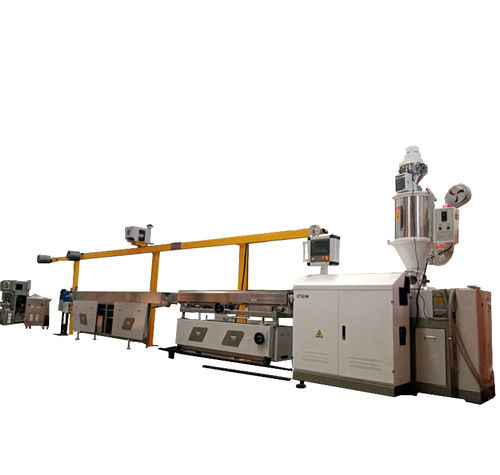
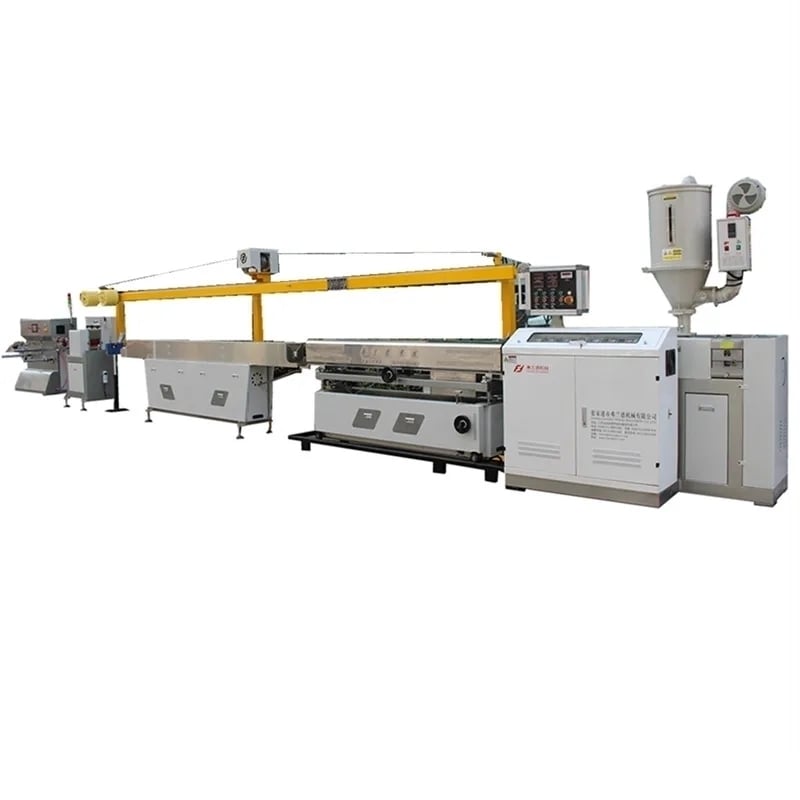
A 3D filament extruder is part magician, part engineer: it takes raw plastic—pellets, recycled scraps, or leftover filament—and transforms it into a continuous, uniform strand ready for 3D printers.
Plastic goes into the extruder’s hopper, then slides into a heated barrel. Inside, a rotating screw churns the material, mixing it as heat softens it into a molten state. Once fully melted, the plastic is pushed through a precision nozzle, forming a filament that’s then cooled, measured, and spooled.
But every step here hinges on temperature. Too cold, and the plastic stays tough, resisting the screw’s push and clogging the nozzle. Too hot, and it turns runny, losing its shape as it exits. From the hopper to the nozzle, temperature acts as the conductor, ensuring the plastic behaves exactly as it should.
Temperature: The Make-or-Break Factor in Extrusion
Plastic is finicky. Each type—PLA, ABS, PETG, nylon—has a “sweet spot” temperature where it melts just right: fluid enough to flow smoothly, but structured enough to hold a consistent shape. Stray from that range, and problems start.
Viscosity is key: Think of molten plastic like syrup. Cold syrup is thick and clumpy; hot syrup is thin and runny. Plastic works the same way. At the ideal temperature, its viscosity is perfect—thick enough to hold a precise diameter as it exits the nozzle, but thin enough to flow evenly through the screw and nozzle.
Material-specific needs: PLA, the go-to for hobbyists, thrives at 190–220°C. Push it past 230°C, and it starts to degrade, turning yellow and brittle. ABS, tougher and more heat-resistant, needs 230–250°C—too cool, and it never fully melts, leaving lumps in the filament. Specialty filaments like nylon? They’re even pickier, requiring tight temperature ranges to avoid warping or weakening.
When Temperature Goes Wrong: Common Headaches
Even small temperature missteps can derail filament quality. Here’s what to watch for:
Overheating: Plastic burns or degrades, leaving a burnt smell and discolored filament. Overheated PLA turns yellow; ABS gets brittle. The filament might also develop bubbles (from trapped gases) or stringy, uneven edges—both death sentences for smooth 3D prints.
Underheating: The plastic never fully melts, so it’s thick and resistant. The extruder has to work harder to push it through, leading to inconsistent diameter—some sections thick, some thin. Prints using this filament will have gaps, weak layers, or even jam the printer.
Uneven heating: Hot spots in the barrel mean some plastic melts too much, while other chunks stay too solid. The result? Filament that’s lumpy, with varying texture and strength—one section might print fine, the next might snap mid-print.
How Temperature Control Shapes Filament Quality
Consistent temperature = consistent filament. It’s that simple, but the impacts run deep:
Uniform diameter: 3D printers rely on filament of a precise size (usually 1.75mm or 3mm). Even a 0.1mm fluctuation can throw off extrusion, causing under-extrusion (gaps) or over-extrusion (blobs). Stable temperatures ensure the molten plastic flows at a steady rate, keeping diameter spot-on.
Stronger, more reliable prints: Properly heated plastic bonds evenly as it cools, creating filament with uniform tensile strength. Underheated filament is brittle; overheated is weak. Both lead to prints that crack or break easily.
Smoother surface finish: Plastic melted at the right temp cools into a smooth filament. Overheated plastic can “bleed” or form rough edges; underheated leaves a grainy texture. Either way, your 3D prints end up looking unpolished.
The Tools of Temperature Control: How Modern Extruders Get It Right
Today’s 3D filament extruders aren’t just heaters—they’re precision systems, built to tackle plastic’s finickiness. Here’s how they do it:
Zoned heating: Many extruders divide the barrel into sections (zones), each with its own heater and sensor. This lets the machine warm plastic gradually—softening it in the first zone, melting it fully in the next—without scorching. It’s like preheating an oven before baking: gentle, controlled, and effective.
Smart sensors & controllers: Thermocouples or RTD sensors monitor temperature in real time, sending data to a controller that adjusts heat instantly. If the barrel gets 5°C too hot, the heater dials back; if it dips too low, it cranks up. No more waiting—adjustments happen in milliseconds.
Cooling systems: Once filament exits the nozzle, it needs to solidify quickly to hold its shape. Fans or water-cooled jackets hit the filament with a precise blast of cool air, locking in diameter and preventing warping. It’s the final step in “freezing” the perfect shape.
Best Practices: Keeping Temperature in Check
Even the best extruder needs a little TLC to maintain precision. Follow these steps to keep temperatures on track:
Calibrate regularly: Over time, heaters and sensors drift. A monthly calibration (using a trusted thermometer to cross-check readings) ensures your extruder’s display matches reality.
Match temps to material: Keep a cheat sheet: PLA (190–220°C), ABS (230–250°C), PETG (220–245°C), nylon (240–260°C). Never assume “close enough”—plastic doesn’t forgive.
Watch for warning signs: Burnt plastic smells, uneven filament, or frequent jams? These are red flags for temperature issues. Stop, check sensors, and recalibrate before wasting more material.
Invest in quality parts: Cheap sensors or heaters lead to inconsistent temps. High-grade components (like stainless steel heaters or platinum RTD sensors) pay off in smoother, more reliable filament.
Why It All Matters: The Payoff of Precision
Nailing temperature control isn’t just about better filament—it’s about efficiency, cost savings, and peace of mind.
Less waste: No more spools of unprintable filament destined for the trash.
Fewer failed prints: Consistent filament means your 3D printer works as it should, saving time and frustration.
Longer machine life: Extruders strained by temperature-related clogs or overwork wear out faster. Precision control reduces stress on gears, screws, and nozzles.
Conclusion
Don’t let temperature issues cool your 3D printing game. With the right extruder, every spool you produce is a step toward smoother prints, less waste, and more success.
At ACC Machine, we engineer extruders that treat temperature like the science it is. Our machines combine zoned heating, real-time sensors, and rugged design to deliver filament you can trust—whether you’re printing prototypes, classroom projects, or industrial parts.