#Product Trends
What to Check Before Buying a Thermal Camera for Electrical Inspections
An electrical inspection thermal camera buying checklist should start with the field task, not the product tier. The camera should help your team find abnormal heat, identify the exact asset, and create a report that maintenance teams can act on. The
An electrical inspection thermal camera buying checklist should start with the field task, not the product tier. The camera should help your team find abnormal heat, identify the exact asset, and create a report that maintenance teams can act on. The right model is not always the most expensive one. It is the camera that fits your inspection distance, cabinet access, reporting workflow, and electrical risk level.
For routine plant maintenance, that may mean a light handheld camera with long battery life. For switchgear, substations, and transmission-line inspections, it may mean better optics, focus, and resolution. For sealed Main Switch Board (“MSB”) or Emergency Switch Board (“ESB”) cabinets, or other distribution cabinets, it may mean adding fixed thermal monitoring rather than relying only on manual rounds.
OSHA notes that electricity is a serious workplace hazard, with risks including shock, electrocution, fires, and explosions. Thermal cameras support non-contact inspection, but they do not replace qualified electrical work practices, PPE, or site procedures.
Quick Answer: What Should You Check First?
Before buying an electrical inspection thermal camera, check the camera against the smallest target, the real working distance, and the report your team needs after the inspection.
What to Check Why It Affects Electrical Inspections
Thermal resolution Determines whether small terminals, lugs, and cable joints are clear enough to inspect.
IFOV and working distance Shows whether the camera can measure the target from a safe inspection position.
Focus method A sharp image is needed for reliable temperature analysis.
Field of view Wide views help inside cabinets; narrow views help with distant targets.
Temperature range The range must cover normal operation and likely fault temperatures.
Measurement parameters Emissivity, reflected temperature, and distance settings affect field readings.
NETD Lower NETD helps reveal smaller temperature differences; it does not reflect measurement accuracy.
Software and reports Teams need annotated images, repeatable reports, data export, and trend records.
Durability and battery life Electrical inspection often means long routes, dusty rooms, and outdoor yards.
Deployment mode Handheld cameras suit rounds; fixed cameras suit closed cabinets and continuous monitoring.
Check Image Detail Before You Check Price
Image Detail and Target Size
Image detail is the first buying filter because electrical faults often appear on small parts. A breaker body is easy to see. A loose lug, oxidized busbar joint, or overheated cable termination may be much smaller.
Start with thermal resolution. Entry-level resolution can work for close panel scans when the target is large, and the goal is basic hotspot screening. Dense switchgear, crowded MSB/ESB panels, and client reports usually need more pixels on the target. More thermal detail makes it easier to identify the component, compare phases, and support the maintenance record.
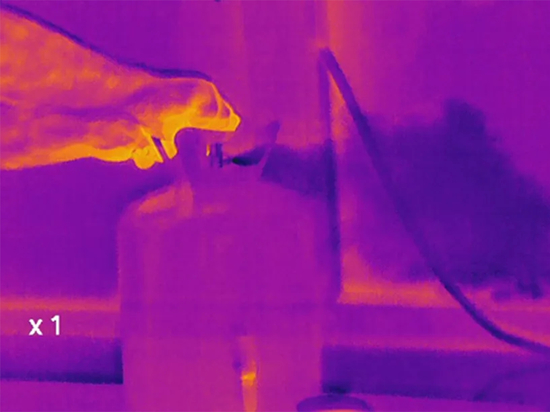
Equipment Inspection
IFOV, Distance, and Focus
Next, ask about IFOV, or instantaneous field of view. IFOV tells you how much area each detector pixel covers at a given distance. In plain English, it answers this question: can the camera see the part you care about from where the inspector is allowed to stand?
This question is more useful than asking for resolution alone. A 256×192 camera used one meter from a cabinet may show a terminal clearly. The same camera used from several meters away may not give enough detail for a small connector. For transmission line work, the distance can be much greater, so lens choice and a narrower field of view become more important.
Focus is the next check. Fixed-focus cameras are faster and simpler for close, repeatable work, such as routine panel rounds. Manual focus, autofocus, or assisted focus becomes more useful when target distance changes, components are small, or inspections include substations and overhead equipment. If the image is not sharp, temperature readings and component labels become less reliable.
Confirm the Measurement Setup, Not Only the Temperature Range
Range, Accuracy, and Sensitivity
Temperature range matters, but it is only one part of the measurement setup. For many electrical maintenance applications, a camera that covers up to about 550°C or 650°C gives sufficient headroom for panels, breakers, busbars, cable joints, and equipment checks. High-temperature industrial processes require higher temperature ranges, but most electrical inspection buyers should not select a camera based solely on maximum temperature rating.
Measurement accuracy specifications should be interpreted carefully. Many industrial thermal cameras specify accuracy as ±2°C or ±2% of the reading under defined conditions. That does not mean every field reading will match that number. Real readings are affected by surface material, target size, distance, viewing angle, reflected heat, focus, and calibration status.
NETD is often misunderstood. NETD refers to thermal sensitivity, or how small a temperature difference the camera can distinguish under test conditions. A lower NETD helps reveal subtle thermal patterns. It does not equal field temperature accuracy. A camera can have a low NETD and still give poor readings if emissivity is wrong or the target is too small in the image.
Emissivity, Load, and Field Context
Emissivity is one of the biggest electrical inspection variables. Painted metal, oxidized copper, insulation, labels, shiny busbars, and plated hardware emit and reflect infrared radiation differently. A camera used for electrical thermography should let the user set emissivity and, when needed, account for reflected temperature.
The load condition also belongs in the setup. Thermal inspections are most useful when equipment is operating under a meaningful, stable load. A lightly loaded circuit may not show a developing issue. A sudden load change can make a normal component look unusual for a short period. For that reason, the report should record load condition, ambient temperature, inspection time, and the exact component inspected whenever possible.
For U.S.-based programs, NFPA 70B is a useful maintenance reference, while NFPA 70E is commonly used for workplace electrical safety practices.
Match the Camera to the Electrical Asset
An electrical inspection camera should be chosen around the asset, not around a generic product tier. MSB/ESB panels, sealed cabinets, substations, and transmission lines create distinct requirements in terms of different distances, access, and reporting needs.
Electrical Asset What to Check before Buying
MSB / ESB panels Wide enough FOV, close-focus performance, visible image capture, and fast documentation.
Distribution cabinets Compact body, easy one-hand operation, clear thermal/visible alignment, and simple image naming.
Switchgear Higher resolution, stable focus, clear component identification, and safe-distance usability.
Transformer bushings Better optics, trend comparison, visible image support, and repeatable inspection records.
Cable joints and terminations Good close detail, emissivity control, temperature difference tools, and image annotation.
Transmission lines Narrower FOV or telephoto options, tripod support, strong focus control, and location records.
Sealed cabinets Consider fixed thermal monitoring, PoE, alarm output, and software trend history.
Transformer Bushing Fault Detection
MSB, ESB, and Distribution Cabinets
For MSB/ESB and distribution cabinets, the inspector often works at close range. A wide field of view helps capture the whole section, but the camera must still resolve terminals and cable lugs. If the cabinet is crowded, dual-spectrum fusion or a visible-light reference image can make the report easier to understand.
Switchgear, Substations, and Lines
For switchgear and substations, distance becomes a bigger factor. Inspectors may need to stand outside a boundary or behind a barrier. In that case, focus and IFOV matter more than a simple resolution number. A camera that looks excellent at arm’s length may not be enough for a bushing or connector several meters away.
For cable joints and terminations, repeatability is valuable. The team should be able to capture the same component over time, compare temperature rise, and review previous images. If the inspection program is part of power utilities inspection, reporting, and archiving can become as important as image capture.
Circuit Breaker Fault Detection
Check Software, Reports, and Data Export before You Buy
Report Files and Field Workflow
The camera is only the start of the inspection workflow. If the team cannot create a clear report, compare historical images, or export useful data, the inspection program loses value after the field round.
Start with the file type. For electrical maintenance, radiometric still images are usually more useful than ordinary screenshots because they preserve temperature data for later analysis. Visible images are also useful because the reviewer needs to know which breaker, terminal, or cable joint appears in the thermal image.
A good electrical inspection report should include asset ID, thermal image, visible image, measurement markers, inspection conditions, emissivity settings when relevant, load notes, priority level, and recommended action.
Mobile Review and PC Analysis
For mobile field work, Raythink’s TI Studio Mobile Client supports real-time preview, temperature analysis, and report generation for handheld infrared imagers. That app workflow helps when inspectors need to share results soon after a site walk.
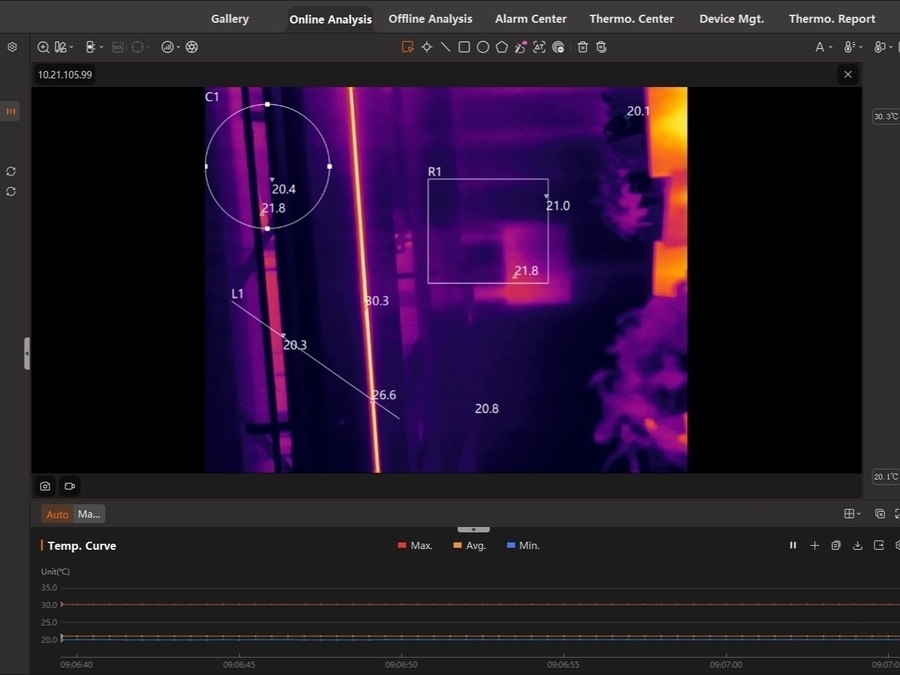
For deeper analysis, TI Studio PC Client supports online and offline analysis, point/line/area measurement tools, trend curves, data export, custom report templates, alarm rules, and historical alarm records. These functions are worth checking before purchase if your inspection program depends on repeatable reports.
One practical test is simple: ask the vendor to generate a sample report from your real inspection scene. If the report is hard to read, hard to edit, or lacks the data your maintenance team uses, the camera may not fit the workflow.
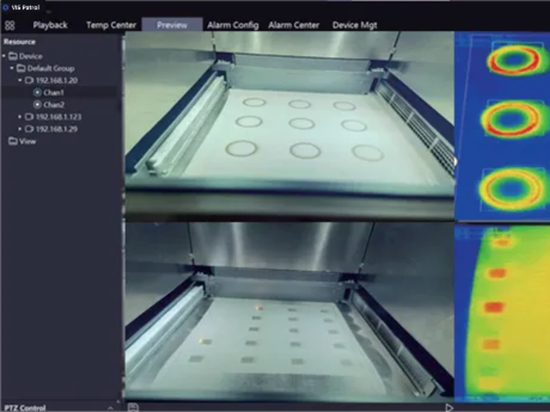
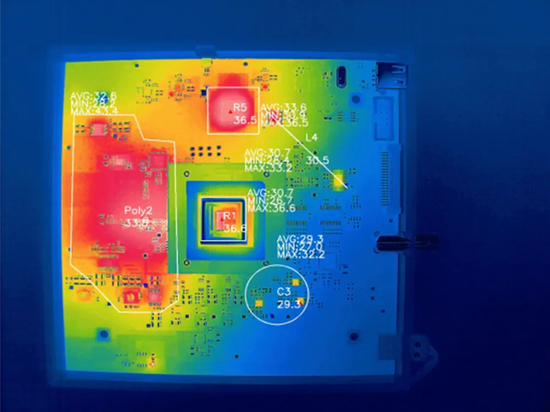
Powerful Analysis Capability
Review Durability, Power, and Calibration
Protection and Battery Life
Electrical inspection is not gentle office work. A camera may be used in dusty electrical rooms, hot equipment areas, outdoor yards, on ladders, cable trenches, and long plant routes.
Check the ingress protection rating first. IP54 can be enough for many handheld plant and maintenance tasks, while harsher fixed installations may need a higher rating. If the camera will be installed inside a cabinet, near dust, or in a high-humidity room, check both the camera rating and the allowed operating temperature and humidity.
Battery life is next. A two-hour device may be fine for quick checks or a backup tool. All-day maintenance rounds usually need a longer battery, field-replaceable batteries, fast charging, or a clear charging plan. Ask whether the stated runtime changes with Wi-Fi, screen brightness, video recording, or cold weather.
Calibration and Service
Calibration should not be an afterthought. Ask how the camera is calibrated, what certificate ships with it, how often recalibration is recommended, and where service is handled.
Decide between Handheld Inspection and Fixed Monitoring
Handheld Inspection
Use a handheld camera when the inspection route changes, when the team needs flexible troubleshooting, or when a technician must verify a finding on site. A handheld thermography camera fits scheduled rounds, contractor inspections, post-repair checks, and mixed electrical maintenance tasks across panels, motors, transformers, and cable joints.
Fixed Monitoring
Use fixed thermal monitoring when the target is repeatable, access is limited, and the risk justifies continuous data. Many switchgear inspection programs still rely on handheld cameras for scheduled rounds, especially when technicians need flexibility across multiple panels. Fixed monitoring is a better fit for sealed or hard-to-open cabinets, known overheating points, compact distribution cabinets, battery rooms, data center power rooms, and assets that need trend records or alarm output between manual inspections.
A compact fixed device can monitor the same points over time, apply alarm rules, and send data to software. It should be selected only when the monitored points, mounting position, field of view, alarm logic, and data interface are clear.
Many electrical programs use both approaches: fixed monitoring for high-value or hard-to-access assets, and handheld cameras for routine rounds and on-site verification.
Vendor Questions to Ask before Issuing the PO
Pre-Purchase Questions
Before placing an order, ask questions that connect the spec sheet to the site:
What is the smallest component this camera can measure reliably at the site’s working distance?
Can you show a real thermal and visible image from a panel, switchgear bay, or cable termination similar to the target site?
Is the camera fixed focus, manual focus, autofocus, or assisted focus?
What lens or FOV fits the site’s closest and farthest inspection points?
Can users set emissivity, reflected temperature, distance, and ambient parameters?
Are saved images radiometric, and can they be reanalyzed later?
If video is supported, does it include temperature data or only visual documentation?
Can the software create PDF reports, custom templates, and asset-based records?
Can the software export original temperature data or trend curves?
What are the IP rating, drop rating, operating temperature range, and storage limits?
What certificate ships with the camera, and what is the service process?
For fixed systems, which protocols, alarm outputs, and SDK options are available?
If a vendor cannot answer these questions clearly, pause before buying. A lower price can look good during procurement and still cost more if the camera cannot produce reliable, repeatable inspection records.
How Raythink Fits This Checklist
Handheld Camera Fit
Raythink’s handheld and fixed thermal camera lines cover several electrical inspection workflows, so the best fit depends on the inspection route.
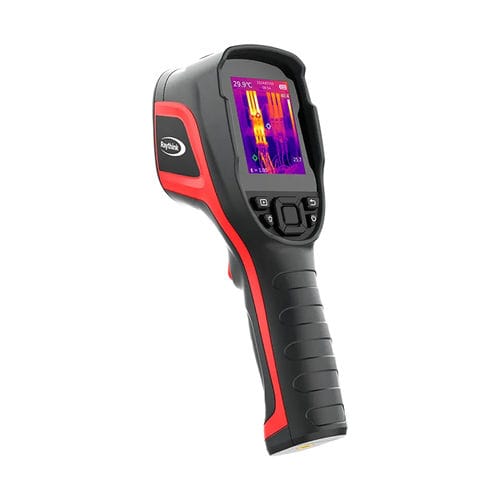
For basic electrical maintenance, buyers can start by checking models with a -20°C to +550°C measurement range, PC analysis support, alarm capture, and enough battery life for routine rounds. For report-heavy electrical work, the CX200 Pro+ Handheld Thermal Camera adds 256×192 infrared resolution with 320×240 AI real-time super-resolution, visible/PIP/fusion image modes, USB and Wi-Fi, PC and mobile app support, IP54 protection, and about 15 hours of battery life.
Fixed Monitoring Fit
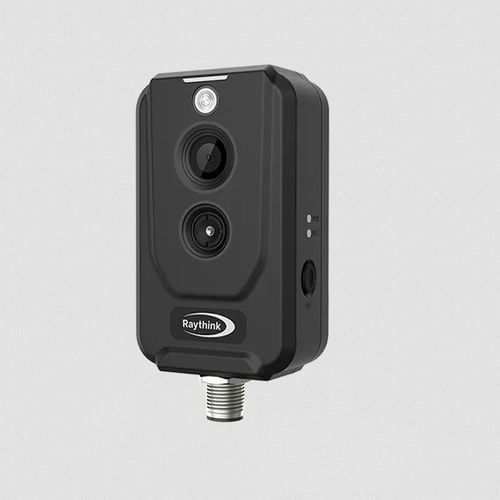
For sealed or hard-to-open cabinets, confined spaces, or fixed monitoring points that need trend data or alarm output, a fixed thermal camera may fit better. Raythink’s TN220 Thermographic Cube Camera is designed for confined close-distance temperature monitoring, with PoE, flexible mounting, thermal image capture, temperature analysis rules, alarm linkage, and protocols including ONVIF, Modbus TCP/RTU, and MQTT.
CX200PRO+
CX200 Pro+ Handheld Thermal Camera
TN220 Thermographic Cube Camera
TN220 Thermographic Cube Camera
The simplest way to choose is to send the inspection scenario to the vendor: target type, working distance, cabinet access, report requirements, and whether fixed monitoring is needed. A model recommendation should come after those details, not before.
Conclusion
Before buying an electrical inspection thermal camera, check how the camera performs in the real workflow. Resolution, IFOV, focus, FOV, measurement range, emissivity settings, software, reports, battery life, durability, and calibration all affect the final result.
If the team only needs quick panel checks, a lighter handheld model may be enough. If the work includes switchgear, substations, cable terminations, or transmission assets, give more weight to optics, focus, resolution, and reporting. If a cabinet needs continuous attention, consider fixed thermal monitoring as part of the system.
For a better purchase decision, prepare sample inspection scenes before talking to suppliers. Ask for sample images and sample reports. Then choose the camera that can prove it fits the assets, not only the one with the longest spec sheet.
FAQ
Is 160×120 thermal resolution enough for electrical inspections?
160×120 can be enough for close, basic panel scans when the target is large and the goal is simple hotspot screening. For dense MSB/ESB panels, switchgear, cable terminations, or inspection reports, higher resolution usually gives clearer evidence and better component identification.
Is NETD the same as temperature accuracy?
No. NETD is thermal sensitivity. It tells you how small a temperature difference the camera can distinguish under test conditions. Temperature accuracy depends on the camera, calibration, emissivity settings, distance, target size, focus, reflected heat, and site conditions.
Do electrical inspection teams need radiometric images?
Radiometric images are strongly recommended for maintenance programs because they preserve temperature data for later review. A normal screenshot can show a heat pattern, but it may not allow the team to adjust measurement points, compare data, or build a stronger report after the inspection.
Can a thermal camera be used on energized equipment?
Thermal cameras are commonly used for non-contact inspection of energized electrical equipment, but the camera does not make the work automatically safe. Only qualified personnel should inspect energized equipment, and they should follow site procedures, PPE rules, approach boundaries, and applicable electrical standards.
When should a fixed thermal camera be used instead of a handheld camera?
Use fixed thermal monitoring when the same asset needs frequent or continuous temperature tracking, when a cabinet is hard to open, or when historical trend data and alarm output are needed. Use a handheld camera when the route changes, when the inspector needs mobility, or when the team performs spot checks and post-repair verification.