#Product Trends
Bullet vs PTZ Cameras: Differences and Thermal Use Cases
Choose a bullet camera when the site needs continuous coverage of one defined view. Choose a PTZ camera when an operator or automated rule needs to redirect the camera among several views or examine an event more closely.
Choose a bullet camera when the site needs continuous coverage of one defined view. Choose a PTZ camera when an operator or automated rule needs to redirect the camera among several views or examine an event more closely.
These labels describe different camera characteristics. A Bullet normally refers to a fixed, directional camera design, while PTZ refers to motorized pan, tilt, and zoom capabilities. Both bullet and PTZ cameras are available with visible, thermal, or dual-spectrum imaging options. A sound choice therefore starts with the monitoring task, followed by separate consideration of imaging capability and camera movement requirements.
Bullet vs PTZ Cameras at a Glance
Decision point Bullet camera PTZ camera
Primary behavior Keeps the direction set during commissioning Redirects its line of sight through motorized pan and tilt
Continuous coverage Keeps one assigned scene in view A conventional single-view PTZ records the direction it currently faces
Lens and zoom May use a fixed, varifocal, or motorized varifocal lens, depending on the model Zoom capability and range vary by model and imaging channel
Control Normally, there needs no directional adjustment after setup Needs a defined manual or automated control method
Installation Uses a mounting bracket with a bullet-style housing design Needs support for a moving assembly and adequate movement clearance
Typical role Continuous monitoring of a known scene Search, event assessment, and closer examination
These are typical operating roles, not guaranteed product specifications. Verify the imaging performance and feature set on the exact model.
The Main Difference: Fixed or Movable View
Bullet Cameras with Fixed Views
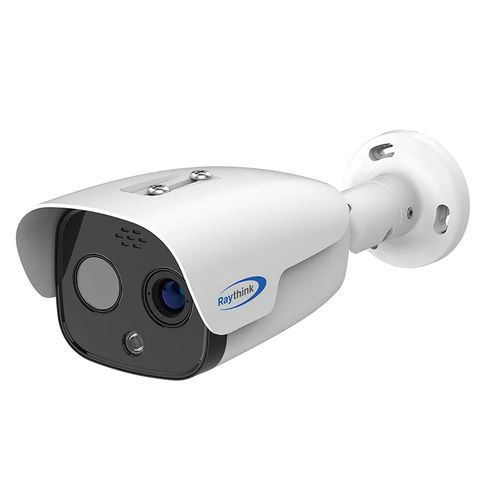
A bullet camera uses elongated directional housing. During commissioning, the installer aims it at an entrance, equipment area, road section, boundary segment, or another defined scene. The camera normally keeps that direction during operation.
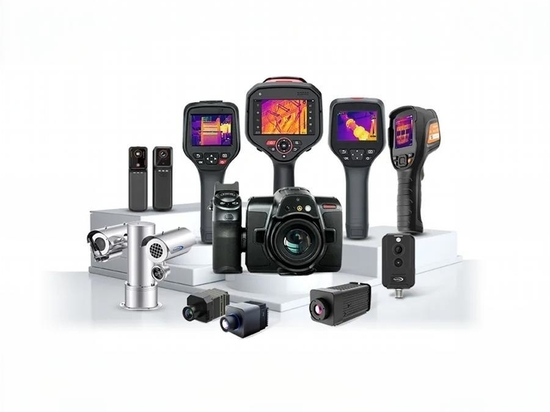
FC Series Thermal Fixed Camera
Fixed direction does not mean fixed focal length or fixed focus. Depending on the model, a bullet camera may have a fixed-focal-length lens, a manually adjusted varifocal lens, or a motorized varifocal lens. Adjusting focal length changes the field of view, but it does not pan or tilt the camera toward another scene.
This stable view is useful when the recording must continuously include an area or when analytics depend on a consistent view of the same area.
PTZ Cameras Move Between Views
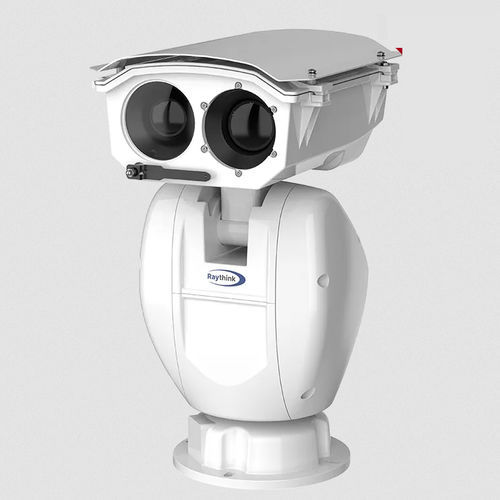
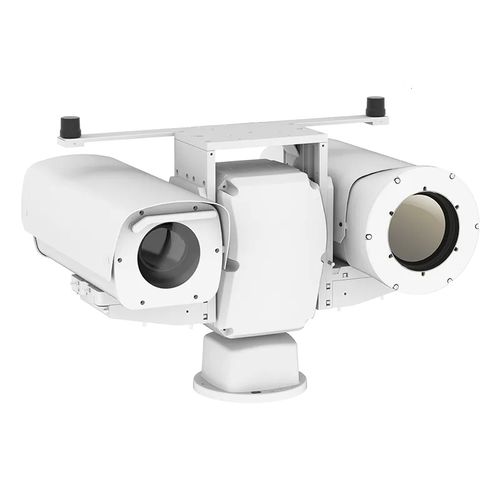
A PTZ camera uses motorized pan and tilt to redirect its line of sight. Zoom adjusts the magnification and framing of the target, depending on the lens and zoom mechanism of the specific model. This allows the camera to examine different directions from one mounting position over time.
PC Series Thermal PTZ Camera
A standard single-view PTZ records the direction it currently faces. When it turns away, the previous scene leaves the image. If that scene requires uninterrupted coverage, the system needs a separate fixed view or another suitable overview channel.
A PTZ also needs a defined manual or automated control method. The installation must provide movement clearance and keep the camera stable at the narrowest field of view used on site.
What Thermal Imaging Changes
Thermal Detection Does Not Depend on Visible Illumination
A visible-light camera forms an image mainly from reflected visible light. It can provide color, readable text, facial and clothing detail, and other scene information used for visual verification. It therefore needs enough reflected light to form a required image; compatible day/night models may also use near-infrared illumination.
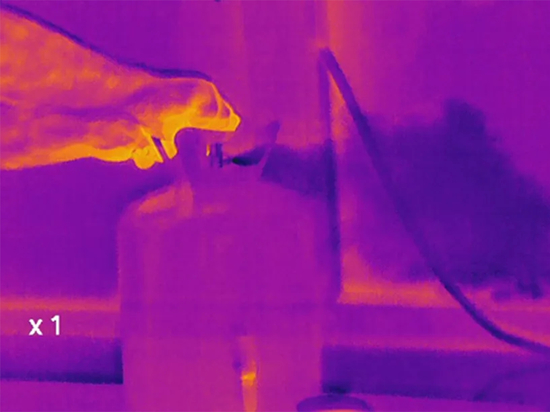
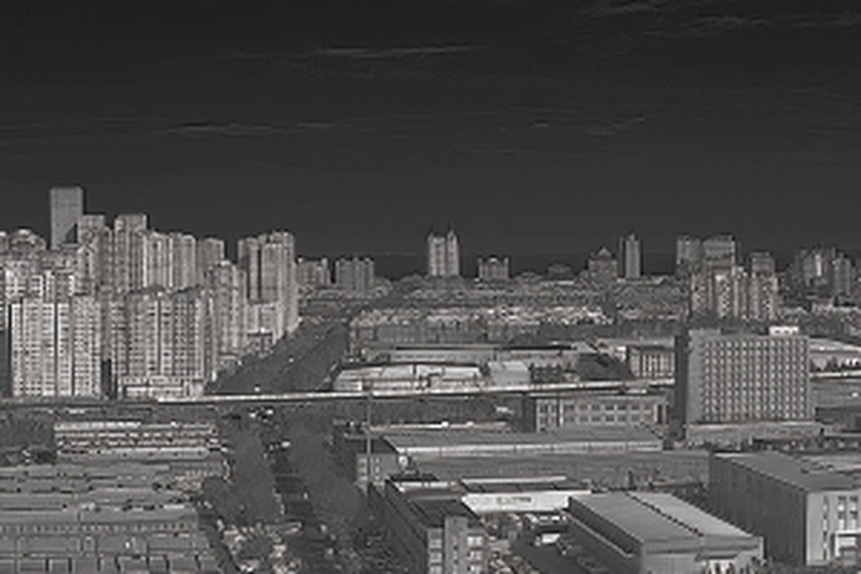
A thermal camera detects infrared radiation reaching its detector. It does not need visible illumination, so a person, vehicle, or other target can remain detectable when it produces sufficient apparent radiance contrast against the background. This can extend security detection into darkness and other conditions in which visible contrast is poor.
Thermal imagery does not reproduce visible color or ordinary surface appearance. It may indicate that a target is present without providing the visual detail required to read text, confirm color, or complete every identification or evidentiary task. Thermal and visible cameras can therefore support the same security workflow while contributing different information.
Dual-Spectrum Cameras Separate Detection and Verification
PC664A1 Dual-Spectrum PTZ Camera
A dual-spectrum camera combines separate thermal and visible imaging modules. The thermal channel supports detection when visible contrast is insufficient, while the visible channel can provide standard visual imagery for verification when lighting and viewing conditions permit.
The two channels remain separate optical systems. A feature listed for one channel, including optical zoom or focal length, should not be assumed to apply to the other.
Thermal Bullet and PTZ Use Cases
Fixed Thermal View for Continuous Monitoring
A thermal bullet camera can keep a perimeter segment, entrance, or equipment area continuously. This arrangement is suitable for applications where on-board analytics require a consistent, uninterrupted view of the same scene.
The assigned view requires the correct thermal lens and enough resolution for the task. A fixed housing alone does not determine detection distance..
Thermal PTZ for Search and Alarm Assessment
A thermal PTZ camera can pan and tilt to search selected directions or examine the location of an alarm. Pan and tilt movement do not require optical zoom. Zoom is a capability that depends on the installed lens system. The thermal channel can narrow its field of view optically only when equipped with a compatible zoom lens.
This role is useful for active investigation across an open area, but it should not be mistaken for simultaneous coverage of all directions.
Use Fixed and PTZ Cameras Together When the Roles Differ
Some sites require continuous detection and movable investigation at the same time. In that case, fixed thermal cameras can retain the critical views while a thermal PTZ examines alarms or other areas of interest. The cameras perform complementary roles instead of competing for one position.
Check Thermal and Visible Optics Separately
In a dual-spectrum camera, each channel has its own detector, lens, focal length, field of view, and focus behavior. A visible-channel zoom specification does not mean that the thermal channel provides the same optical magnification.
For a given detector format and target distance, a longer focal length produces a narrower angular field of view and places more detector pixels on the target. A wider lens covers more of the scene but places fewer pixels on the same target. Digital zoom enlarges sampled image data; it does not add native spatial detail.
Raythink products provide examples of this channel separation. The FC225T offers distinct fixed focal lengths for its thermal and visible modules. The PC564 offers fixed thermal options or a 30–150 mm continuous thermal zoom, while its visible module has separate zoom options. Check both channels against the required scene coverage and target detail.
Thermal-Specific Installation Checks
General camera-mounting rules still apply, but thermal optics add a few extra things to watch for. Do not install a typical long-wave infrared (LWIR) camera behind ordinary glass. Standard glass blocks the thermal signal, so the camera will mostly see the glass itself — not what’s outside. If you need a protective window, make sure it’s made of a material that works with thermal wavelengths.
Weather also gets in the way. Fog, rain, and heavy humidity can weaken the thermal signal, especially over long distances. That can shorten the range where the system can actually detect or identify a target.
The mount also matters more than you might think. At narrow zoom levels, even small vibrations can blur the image. Wind can shake a weak mount, and vibration from nearby equipment can shift the scene across the pixels. So make sure the mounting is firm.
Also keep the thermal window clean. Dust, salt, oil, bugs, and water spots all reduce image quality. Plan for regular cleaning, and make sure the camera is placed where you can safely reach it.
Choose the Camera in Five Steps
1. Decide what you need the camera to do. State whether the position must detect activity, support live assessment, preserve useful video, or serve more than one of these purposes.
2. Pick the imaging type. Use visible cameras for details like color, faces, or text. Use thermal cameras when you need to detect targets in the dark or in low visibility — but only if the target stands out from the background. Use dual-spectrum imaging when the position needs both types of information.
3. Mark the views that require continuous coverage. Assign a fixed camera or another continuous overview channel to each scene that must remain in the recording or a configured analytics area.
4. Add PTZ movement for a defined role. Specify who or what controls the camera, which directions it must examine, and where it should return after an event.
5. Verify the exact model and installation. Check channel-specific optics, analytics, environmental ratings, power input, maximum power consumption, mounting, and optical-window requirements.
Compare the requirements to Raythink’s thermal security camera range. For a boundary application, map out which views must stay fixed and which need PTZ movement before evaluating a perimeter monitoring system.
FAQ
Does a PTZ camera require a full-time operator?
No. Compatible PTZ cameras can run on preset positions, scheduled guard tours, event rules, or model-supported tracking. Manual control remains useful when an operator needs to assess a live event. Define which control method has priority and where the camera should return afterward.
Can a PTZ camera record while it is moving?
Yes. A network PTZ can continue streaming and recording while it pans, tilts, or zooms. The recording shows the view changing, and rapid movement may cause motion blur. Test recording and any active analytics at the movement speeds planned for the site.
Does a PTZ camera use more bandwidth or storage?
Not simply because it is a PTZ; resolution, frame rate, codec, compression settings, scene activity, and the number of streams determine most storage use. Rapid repositioning can temporarily increase bitrate because a large part of the image changes at once.
Does a PTZ camera need a different power supply than a bullet camera?
Not necessarily. Motors, heaters, wipers, illuminators, and other accessories can increase a PTZ camera’s maximum power requirement, but the required supply remains model-specific. Verify the supported power input and maximum consumption, then size the supply and cable for voltage drop and the worst-case accessory load. Check the required Power over Ethernet (PoE) class when applicable.
Conclusion
Start with the monitoring task and the information the camera must capture. Choose visible, thermal, or dual-spectrum imaging, then assign fixed cameras to views where coverage must remain continuous and PTZ movement where active search or closer examination is required.
When both roles are necessary, use fixed and PTZ cameras as complementary parts of the system and verify the optics, functions, power, and installation requirements on the exact models.