#Product Trends
Thermal Camera vs Thermocouple for Industrial Temperature Measurement
If a thermal camera and a thermocouple give different readings, the first question is not which tool is better. The first question is whether the two tools measure the same thing.
If a thermal camera and a thermocouple give different readings, the first question is not which tool is better. The first question is whether the two tools measure the same thing.
A camera may be looking at the outside of a component while a thermocouple is attached to a different layer, mounted with a pad, or positioned at nearby point. The readings may also reflect different load conditions or different points in time. When the measurements disagree, first check whether the two methods are actually measuring the same location under the same conditions.
The short answer
What is happening? Start with What it tells you Check these before trusting the result
Several parts or areas are warm. You do not know where the problem starts. Thermal camera Finds the hot area and shows the surface pattern. Check surface finish, reflections, focus, target size, distance, and camera settings that affect the reading.
One known part, pipe, or internal point needs a temperature record or control signal. Thermocouple Tracks one installed point over time. Check junction location, mounting or insertion, reference-temperature handling, wiring, and verification.
You found a hotspot, or the two readings disagree. You need to confirm the result. Both The camera shows the pattern. The thermocouple tracks one point. Check the same location, layer, load, time window, and acceptance method.
This is a measurement-workflow choice. It is not a universal accuracy ranking.
Start with the decision, not the instrument
Before choosing a tool, write one sentence describing the purpose the measurement must serve.:
Find a hotspot: Which part of the assembly is warmer than the surrounding area?
Protect a component: Does one known point stay within its operating limit during a defined load cycle?
Control a process: What signal should trigger an alarm, shutdown, or control action?
Understand heat flow: Where does heat spread, and how does that pattern change with load?
Measure an internal value: Is the required temperature inside a part, under a coating, or in a fluid rather than on the visible surface?
The same device may require different instruments for different measurements. A board-level scan may need a camera, while the final control channel may still need a contact sensor. Defining the decision first keeps the comparison from collapsing into a generic “camera versus thermocouple” debate.
A practical electronics test: use a two-pass approach
For an energized board, converter, motor, or other assembly with several possible heat sources, a two-pass workflow is often easier to interpret than trying to make one instrument do everything.
Pass 1: use the camera to find the area
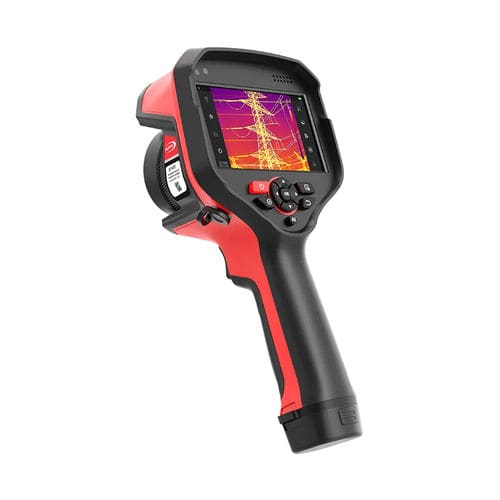
infrared thermal imaging
Scan the assembly under the same operating state each time. Look for a part that stands out, a hot path, or a change that appears only under a certain load.
Record the main camera conditions: target surface, camera position, focus, target size, distance, reflected temperature, and any window or enclosure. When comparing industrial thermal cameras for temperature measurement, keep these settings in the test record.
The camera pass answers “where should we look?” It does not automatically answer what is happening below the visible surface or what signal a controller should use.
Pass 2: use the thermocouple to follow one point
Type K thermocouples connected to a multichannel data acquisition module
Photo: Harke / Wikimedia Commons (public domain).
Attach the thermocouple at the point that matters to the decision. Define whether the junction is on a surface, inserted, or separated from the target by a coating or mounting material. Keep the wire route, reference-temperature handling (how the reference temperature is accounted for), signal conditioning, electrical isolation, and operating state with the record.
The thermocouple pass answers “how does this selected point behave over time?” The installed result is what matters. A sensor that looks fast on a data sheet can respond differently after mounting changes heat flow or adds thermal mass. In electrically noisy equipment, also check whether the wiring or grounding arrangement is disturbing the signal.
When a camera helps most
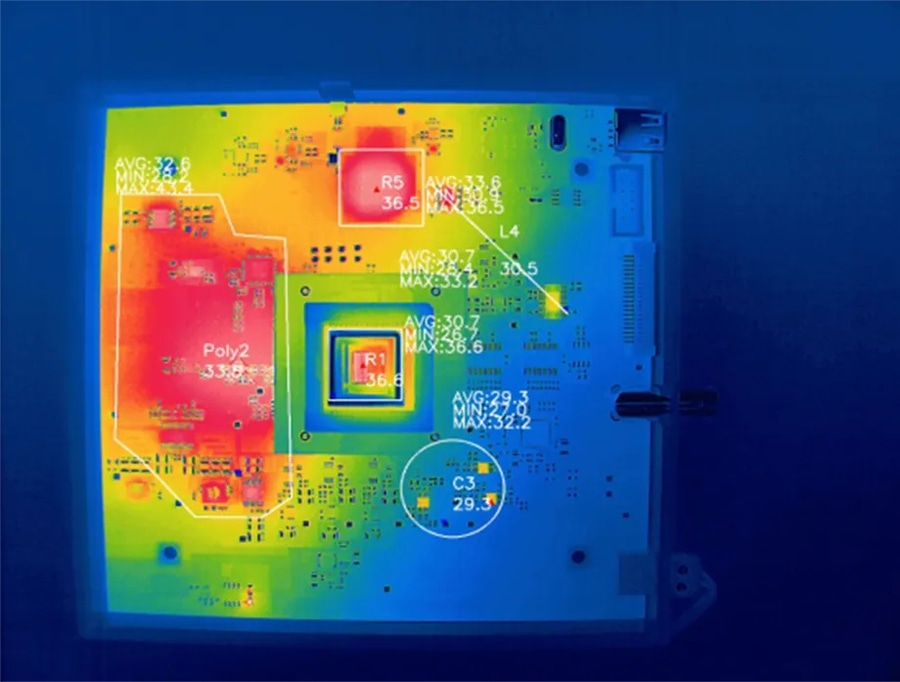
infrared thermal imaging camera identify fault points on a circuit board
Start with the camera when you need to find the hot area. It helps when you need to:
check many parts or a large assembly;
compare heat before and after a load or design change;
view a moving, powered, or hard-to-reach target without attaching a sensor;
find the area that needs a follow-up measurement.
The camera is a poor choice when the temperature you need is inside the part. It is also harder to use on shiny or low-emissivity surfaces. Nearby heat can affect the result. A small target can be visible but still too small for a sound reading. A clear image is not the same as a checked temperature.
For further reading, see industrial infrared thermal imaging for equipment monitoring.
When a thermocouple is the better first tool
Start with the thermocouple when the decision depends on one point, a time history, or a signal for test or control hardware. It works best when you can install and check the junction at the needed location.
The tradeoff is that installation affects the measurement. A loose junction, a mount that conducts heat away, a wire that changes the local heat flow, poor reference-temperature handling, or electrical noise can all weaken the result. “Contact” does not make a reading correct by itself; it makes the junction and signal path inspectable.
For an internal point or process value, an inserted sensor may be the relevant method because a surface image cannot see through the part. For a visible surface, however, do not assume that a thermocouple attached nearby and a camera pixel are interchangeable points.
Why the two readings disagree
Use this order when troubleshooting a disagreement:
Location: Did both tools measure the same physical point, layer, or material?
Operating state: Were the load, flow, switching state, and elapsed time the same?
Installation: Is the thermocouple junction secure and representative, or is it influenced by the mount and wires?
Camera setup: Were surface condition, emissivity, reflected temperature, focus, target size, distance, and windows recorded?
Signal path: Were reference-temperature handling, wiring, grounding, isolation, conversion, and noise checked?
Reference check: Was either method compared with a suitable reference under similar conditions?
Do not average the two readings to create a compromise value. First decide whether they represent the same quantity being measured. A camera estimate of an outer surface and a thermocouple value from a junction below that surface can both be internally consistent while answering different questions.
When both methods are the right answer
Use both when the test needs a spatial view and a defensible time history. A practical sequence is:
scan the assembly and identify the region that changes or stands out;
define the exact point and layer that the follow-up sensor must represent;
install and verify the thermocouple at that point;
repeat the camera and thermocouple measurements under the same load and time window;
define in advance what agreement means for the decision.
This approach is more useful than repeating that one method is “better.” The camera contributes spatial context; the thermocouple contributes a selected point signal. Neither one automatically validates every other location.
For continuous observation, review fixed thermography cameras for industrial monitoring.
What to Tell Your Supplier or Test Team
Before choosing an instrument, describe what you need to measure and how the equipment operates. This helps the supplier or test team determine whether you need a thermal camera, a thermocouple, or both.
Share the following information:
Measurement goal: Are you locating a hot spot, monitoring one point, studying heat flow, or measuring an internal temperature?
Target conditions: Where is the target? Is it moving, enclosed, difficult to reach, or electrically powered?
Test requirements: What temperature range, measurement area, sampling speed, output, and test duration do you need?
Surface and viewing conditions: Note the surface material, coating, nearby heat sources, viewing angle, distance, and any window or enclosure.
Contact-sensor setup: If using a thermocouple, describe the junction location, mounting method, wire route, reference-temperature handling, and electrical isolation.
Acceptance criteria: State the operating load, reference check, and pass-or-fail rule.
With these details, it becomes easier to select a suitable measurement method and avoid comparing readings that represent different locations or conditions.
If your application requires non-contact temperature measurement, hotspot detection, or continuous thermal monitoring, contact Raythink | Raytron to discuss the target, operating conditions, and thermal imaging setup.